

Warzone Ping Test: What’s a Good Ping and How to Achieve It
Understanding Ping in Warzone
If you are a Call of Duty: Warzone player, chances are you’ve encountered moments when the game felt sluggish, delayed, or outright unplayable. These issues often come down to ping, a crucial factor in online gaming that measures the time it takes for data to travel from your device to the game server and back. In Warzone, ping can make the difference between winning a gunfight and losing in frustration. A Warzone ping test is one of the most useful tools you can use to measure this delay, helping you understand whether your internet connection is strong enough to handle the fast-paced action of the game.
Ping is measured in milliseconds (ms). A lower number means less delay between your actions and the server’s response, while a higher number indicates more lag. Unlike frames per second (FPS), which measure how smooth your graphics appear, ping directly affects gameplay responsiveness. Even if you have a powerful gaming PC or next-gen console, a high ping will ruin your experience because the server simply can’t register your actions quickly enough. Understanding what ping is and how to test it is the first step toward achieving smoother gameplay in Warzone.
What Is Considered a Good Ping for Warzone?
When running a Warzone ping test, you’ll likely see a number anywhere from under 20ms to over 200ms depending on your internet connection and distance from the server. But what does that number mean in practice? For competitive online shooters like Warzone, a good ping is generally considered to be 30ms or lower. At this level, the game feels highly responsive, and your inputs are nearly instantaneous. Players with ping between 30ms and 60ms usually still enjoy a smooth experience, though there may be the occasional delay in extremely fast gunfights.
Once your ping rises above 70ms, you may begin noticing inconsistencies. Bullets feel like they don’t register immediately, movement can stutter slightly, and you may even see players “teleport” across the screen due to latency. At 100ms or higher, these problems become more frequent and disruptive. A Warzone high ping situation, especially one over 150ms, makes competitive play nearly impossible. Every decision you make feels a step behind, and you’re at a major disadvantage compared to opponents with lower ping. For this reason, serious Warzone players aim to keep their ping below 50ms whenever possible.
Why Warzone Ping Matters More Than You Think
Warzone is a battle royale game where reaction time and precision are key. Unlike single-player games where latency doesn’t matter, in Warzone every millisecond counts. If you shoot an enemy at the same time they shoot you, the server decides who gets the kill based largely on ping. A player with lower ping is more likely to have their shot registered first, giving them the upper hand even if skill levels are equal. This phenomenon is why many players with Warzone high ping feel like they lose fights they should have won.
Ping doesn’t just affect gunfights. It also impacts movement, looting, and even vehicle control. When your ping is high, doors may take longer to open, items may take longer to pick up, and vehicles may feel unresponsive. These delays can snowball into significant disadvantages, particularly in high-stakes situations like final circles. By performing a Warzone ping test before playing, you can anticipate these issues and adjust your strategy or troubleshoot your connection before entering a match.
How to Perform a Warzone Ping Test
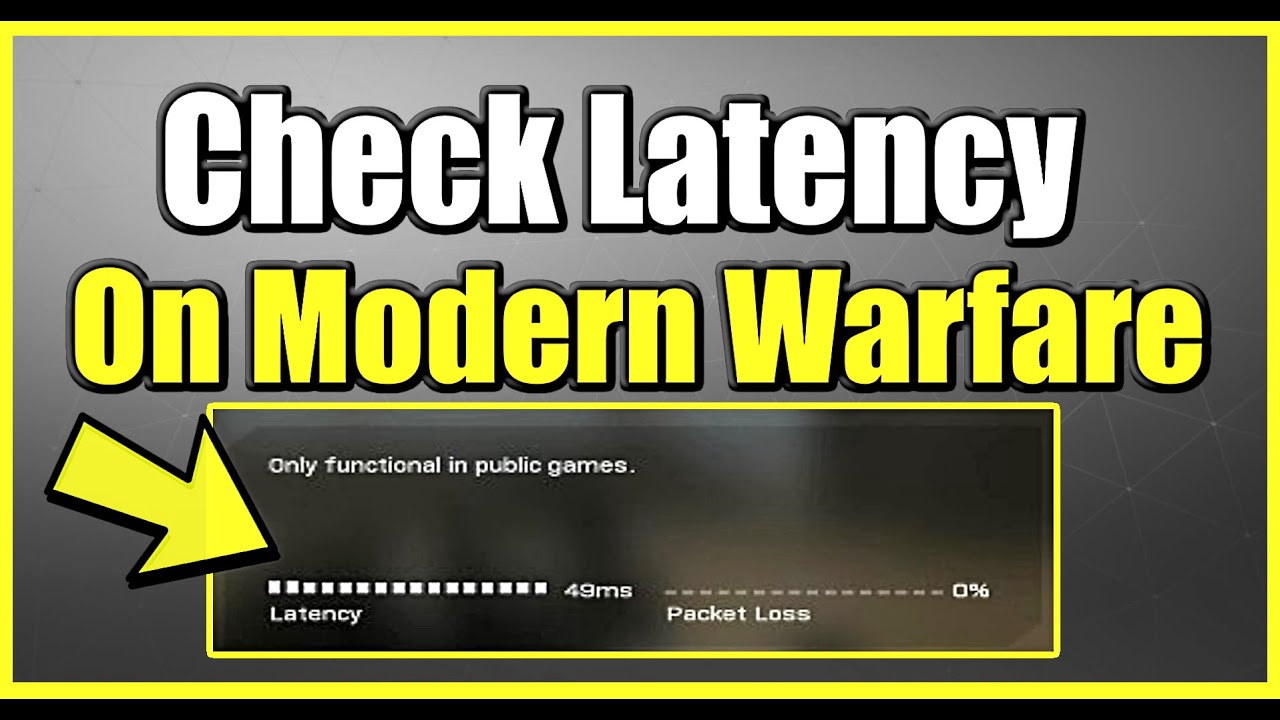
Performing a Warzone ping test can be done in several ways. The simplest method is to use the in-game display. Warzone provides a real-time ping indicator that shows your latency to the current server. You can enable this in the settings under the “Account & Network” section, where you’ll also see options for displaying packet loss and bandwidth usage. This gives you a direct look at how your connection is performing while you play.
Alternatively, you can use third-party ping test tools available online. By entering the IP address or domain of the Warzone servers, these tools can give you a rough estimate of your latency. While this method isn’t always as accurate as the in-game display, it can help diagnose general connection problems. Some players even prefer to use command prompt or terminal commands to run continuous ping tests, which reveal whether their connection fluctuates during gameplay. Regardless of the method you choose, running a Warzone ping test regularly is a smart way to ensure your connection is optimized before diving into competitive matches.
Causes of Warzone High Ping
Understanding why you experience Warzone high ping is the first step toward fixing it. The most common cause is simply distance from the game server. The farther away you are geographically, the longer it takes for data to travel back and forth. Unfortunately, this is largely out of your control, though Warzone does attempt to place you on the nearest server.
Another major factor is your internet connection speed and stability. Slow or inconsistent connections, particularly those with high jitter, lead to increased ping. Even if your internet plan advertises high speeds, you may still face latency issues if your connection is unstable. Network congestion also plays a role. If multiple people in your household are streaming, downloading, or gaming at the same time, your ping in Warzone can skyrocket.
Hardware and setup issues can also contribute. Using Wi-Fi instead of a wired Ethernet connection almost always introduces extra latency. Outdated routers, poor signal strength, and interference from other devices can all worsen ping. Finally, background applications on your PC or console may be using bandwidth without you realizing it, such as cloud backups or software updates. Identifying these causes is crucial for reducing Warzone high ping and achieving a smoother gaming experience.
Strategies to Reduce Ping in Warzone
The good news is that there are several practical steps you can take to lower your ping. The most effective is switching from Wi-Fi to a wired Ethernet connection. This eliminates the instability of wireless signals and ensures the fastest possible communication between your device and the router. If Ethernet isn’t an option, upgrading your Wi-Fi router and using the 5GHz band instead of 2.4GHz can also help.
Optimizing your home network is another key strategy. Close background applications on your PC or console, and make sure no one else in your household is using up bandwidth during your matches. You may also want to prioritize gaming traffic using your router’s Quality of Service (QoS) settings, which allow you to assign more bandwidth to Warzone.
Sometimes, reducing ping requires working directly with your internet service provider. If you consistently see Warzone high ping despite troubleshooting, contact your ISP and ask whether they can optimize your connection or provide a lower-latency plan. Upgrading to fiber-optic internet, if available, is one of the most effective long-term solutions. In extreme cases, you might consider using a gaming VPN to connect to a better server route, though results vary depending on location.
Server Selection and Its Role in Ping
Warzone automatically places players on servers based on location, but this system isn’t perfect. Sometimes you may be connected to a server farther away due to availability or matchmaking demands. This can lead to Warzone high ping even if your connection at home is flawless. While you can’t always manually select servers in Warzone, using a Warzone ping test can at least confirm whether the server location is the cause of your latency.
Players have found creative ways to influence server selection. For example, setting their matchmaking region or using a VPN to change their apparent location sometimes forces the game to connect to different servers. However, these methods come with risks, including increased ping if the chosen server is actually farther away. The safest approach is to let the game connect you to the nearest server but be aware of when server issues may be beyond your control.
The Psychological Impact of Warzone High Ping
Many players underestimate how much Warzone high ping affects not just gameplay but also mindset. Experiencing constant lag, delayed shots, or unfair deaths can be extremely frustrating, leading to tilt and worse performance overall. When you feel that your losses aren’t based on skill but on connection quality, it undermines motivation and enjoyment.
By regularly running a Warzone ping test and working to keep latency low, you gain more confidence in your matches. Knowing that your performance is based on skill rather than connection problems allows you to stay focused and calm under pressure. In competitive environments like tournaments or ranked play, this psychological advantage can be just as important as the technical improvements you achieve.
Final Thoughts on Achieving a Good Ping in Warzone
Ping is one of the most critical yet often overlooked aspects of Warzone performance. A Warzone ping test is the best way to measure your latency and determine whether you’re at a disadvantage before entering a match. A good ping is typically under 50ms, with anything above 100ms making competitive play difficult. High ping can be caused by distance to servers, poor internet stability, or local network congestion, but there are many steps you can take to improve your connection.
By using Ethernet instead of Wi-Fi, optimizing your home network, upgrading your internet plan, or even experimenting with server selection, you can dramatically reduce latency. Lower ping doesn’t just improve responsiveness—it also boosts confidence and enjoyment of the game. Warzone high ping can feel like an impossible barrier, but with the right strategies and regular ping tests, you can ensure that when you drop into Verdansk or Al Mazrah, you’re competing on a level playing field.